20Avr/15
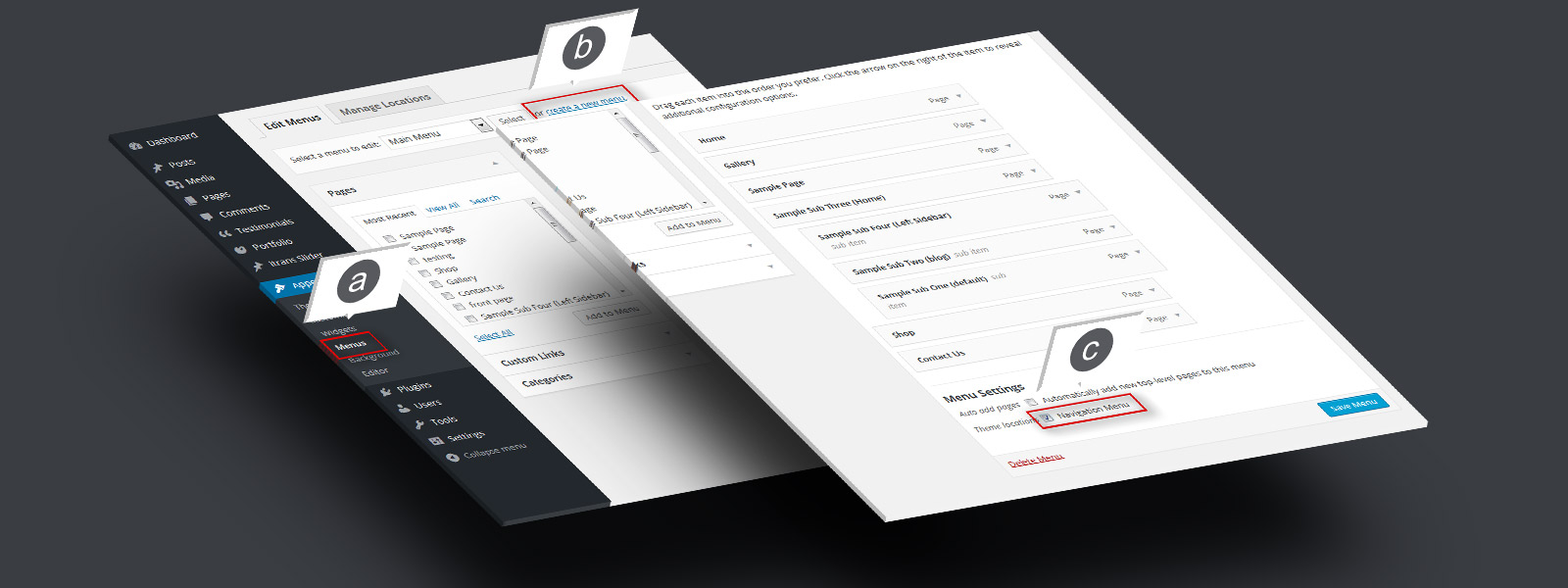
Step 1. Menu Setup
a. Go to “Appearance” > “Menus”. b. Create a new menu, add pages and links c. Check “Navigation Menu” and save

a. Go to “Appearance” > “Menus”. b. Create a new menu, add pages and links c. Check “Navigation Menu” and save
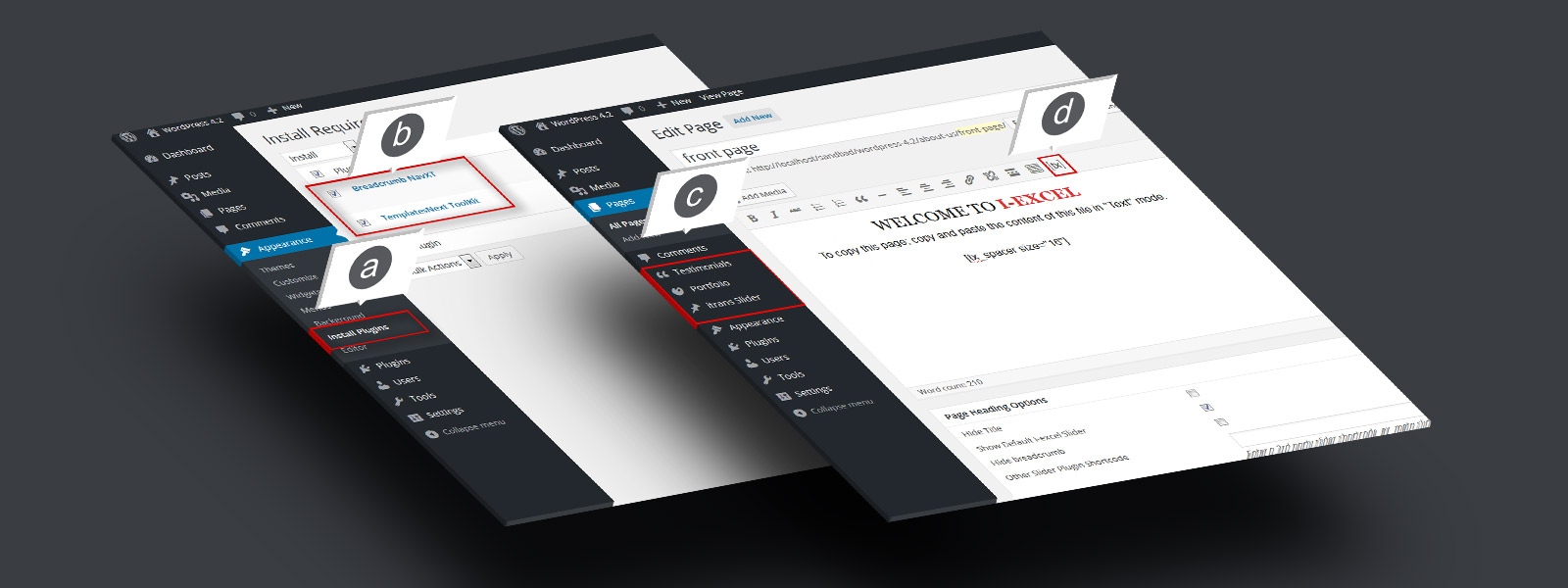
a. Go to “Appearance” b. Check “Templatesnext Toolkit” and “Breadcrumb NavXT” c. Install and activate
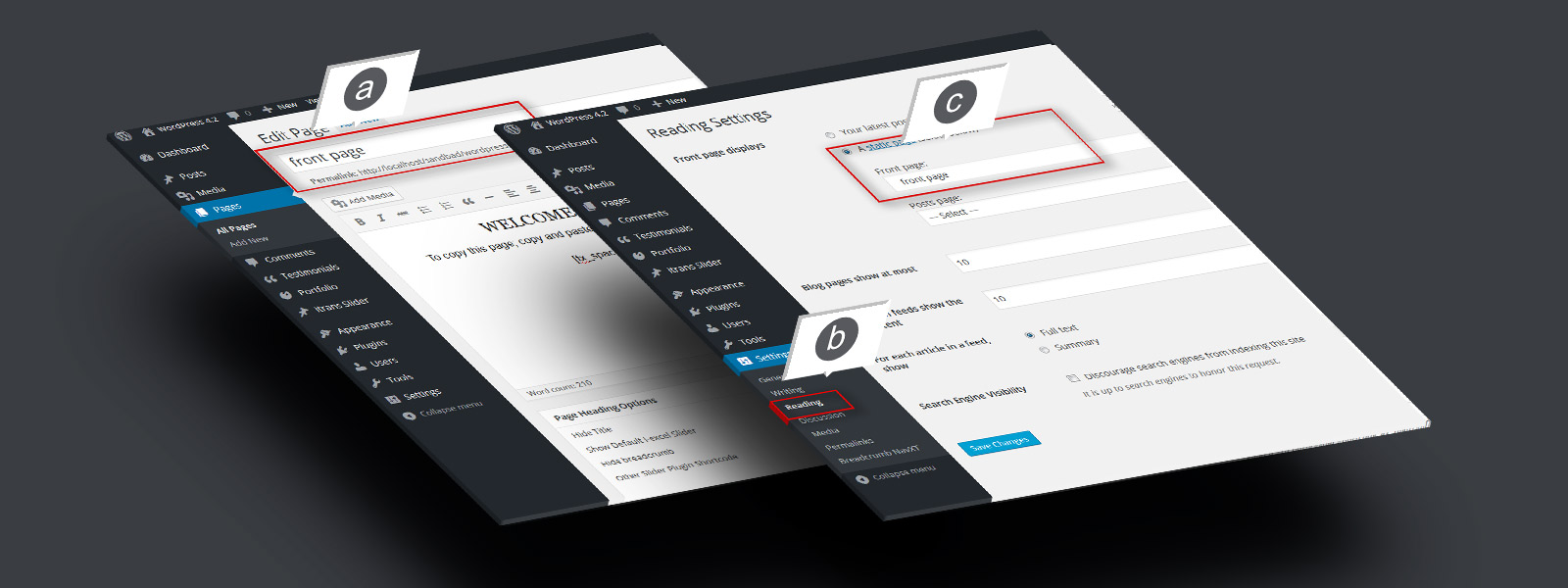
a. Create a page, say “Front Page” and save b. Go to “Settings” > “Reading” C. Set your newly created page as static front page. d. Do same for blog if you have aRead More…
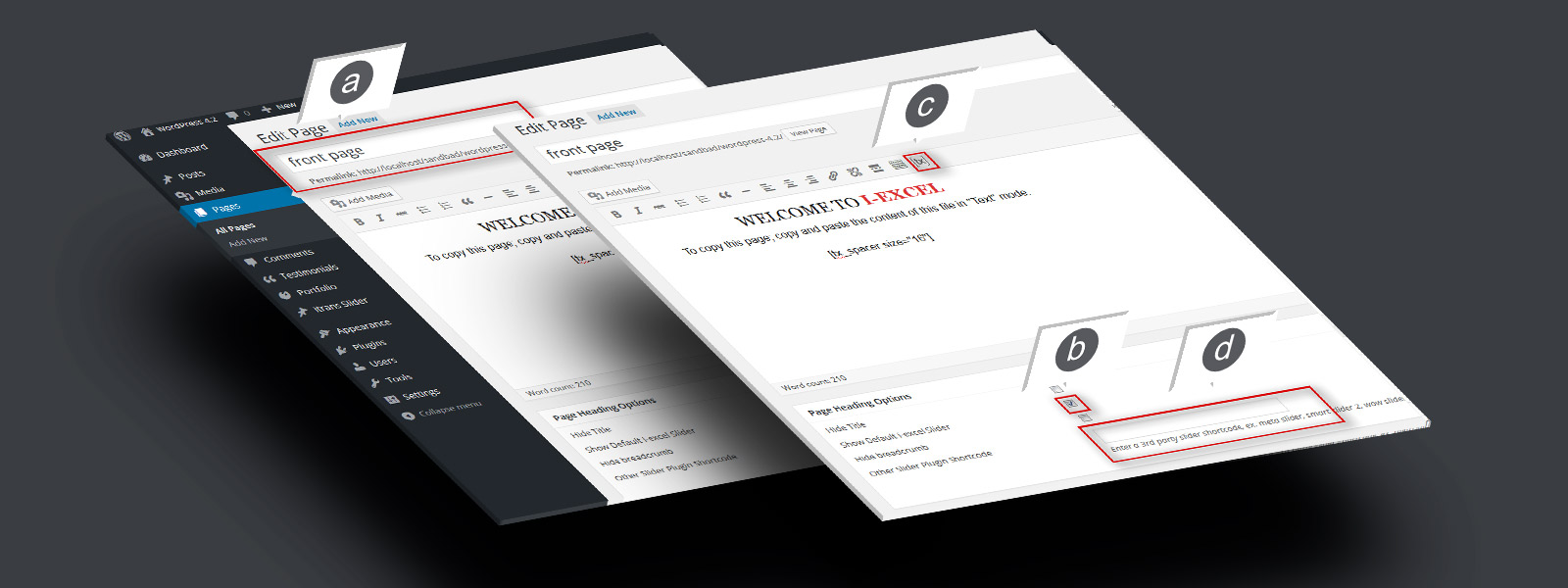
a. Open newly created “Front page” in editor. b. Check “Show default i‑excel slider” to show default slider. c. Use [tx] to generate slider. d. Add the shortcode in “Other slider pluginRead More…
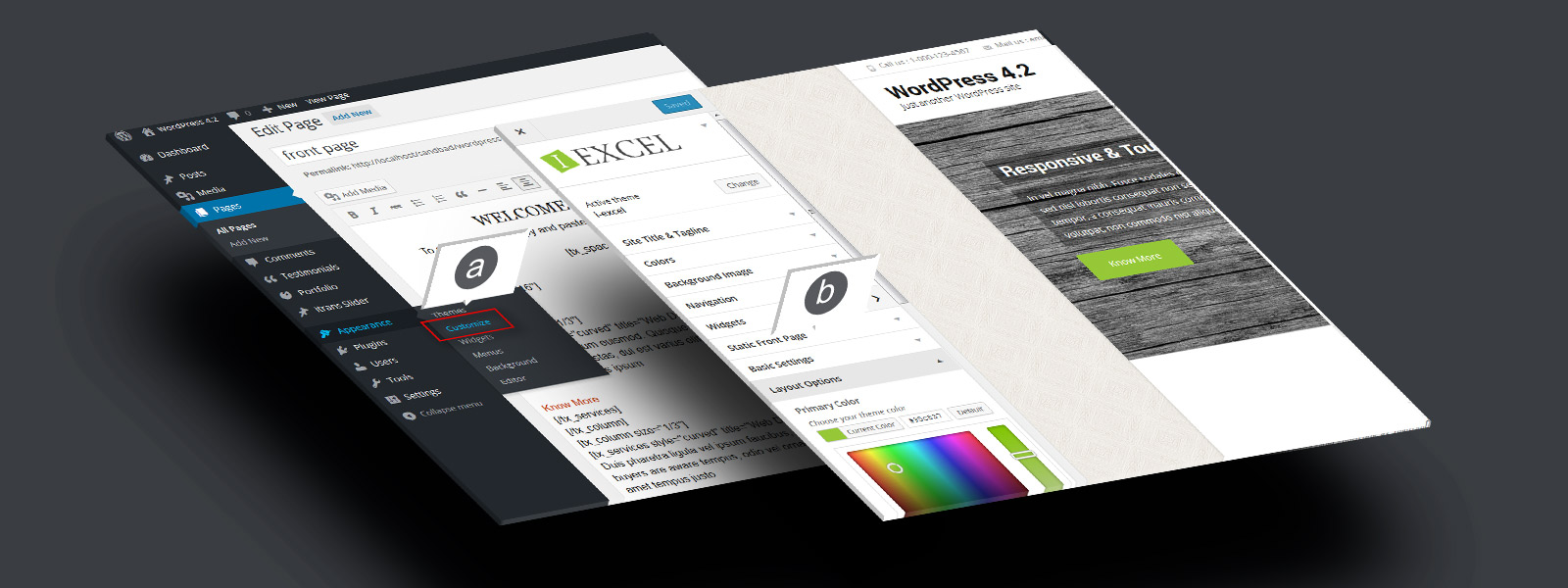
a. Go to “Appearance” > “Customize”. b. Setup your theme color, logo, layout etc.